How to Play: A First Visit to Grace Cathedral
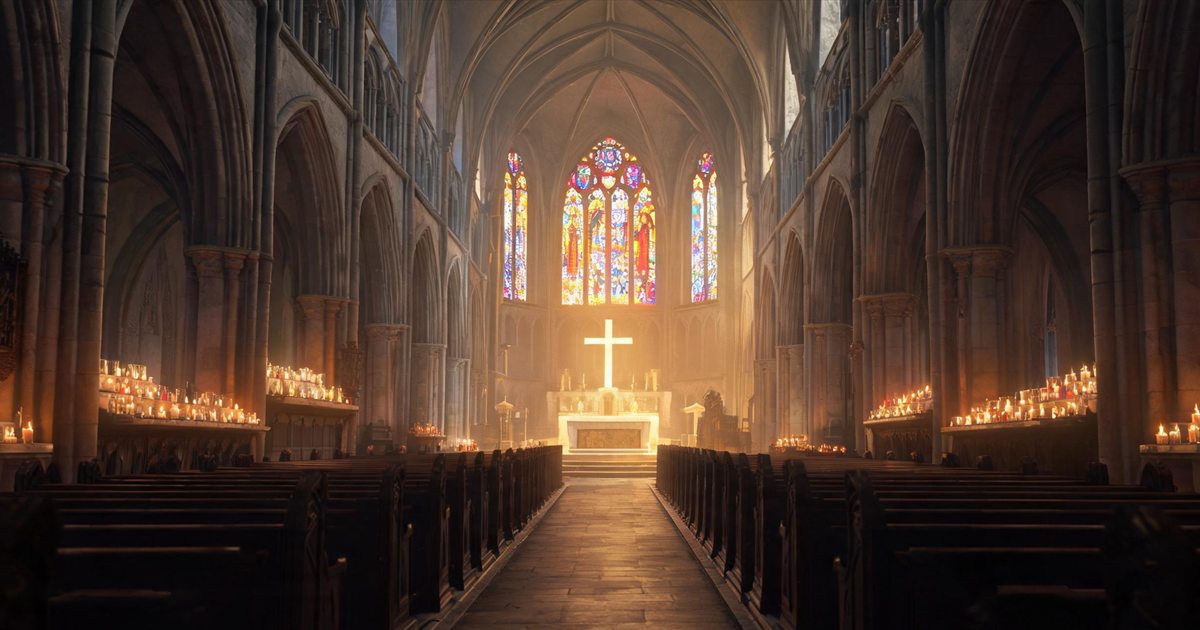
Grace Cathedral is not a video and not a photo tour. It is a church built in three dimensions that opens in your browser, and you walk through it at eye level: down the nave, past fourteen side chapels, to the altar at the east end. This page is the short version of how to do that — the controls, the first five minutes, and what each thing inside actually does.
The controls
On a computer. Walk with W A S D or the arrow keys. Hold Shift to move faster. Move the mouse to look around, and press Esc to close whatever panel is open. You do not need to click to start walking; the page takes the keyboard as soon as it has loaded.
On a phone. A stick appears in the lower left: push it to walk. Drag anywhere on the scene to look around. The buttons along the bottom edge open the prayer guide, the one-tap prayer, the chapel switch and the parish bulletin.
Interacting. Walk up to something and tap it, or use the toolbar button that does the same thing. Nothing is hidden behind a key you have to guess.
Your first five minutes
- Wait for the loading screen to finish. The first visit downloads the cathedral; after that it opens quickly.
- Walk forward down the nave. There is no wrong direction, and no one is waiting for you to do anything.
- Stop at the altar. Tap the prayer button once and stay for a moment — this is the part that does not need words.
- Turn into one of the side chapels and light a votive candle. Three days or thirty; you choose.
- Before you leave, leave a prayer intention, or draw the Scripture card for today.
What you can do inside
- Light a votive candle. A candle is a prayer, not a purchase. It stays lit for the time you chose.
- Leave a prayer intention. Write it on the tree in the courtyard, and decide whether it is public.
- Draw a Scripture card. One verse, drawn at random, for the day you are having.
- Visit the memorial chapel. At the east end, for someone who has died — see the memorial candle guide.
- Read Today's Verse. A short reading that changes every morning, readable without walking anywhere.
- Check the parish bulletin. Posted each evening, with what happened in the cathedral that day.
If it feels slow
The cathedral is a 3D scene, so the first load is heavier than an ordinary page. On a phone, use Wi-Fi for the first visit, close a few other tabs, and let the loading screen finish rather than tapping through it. After the first visit the scene is cached, and returning is much faster. If it still stutters, the text pages — Today's Verse, the guides and the blog — carry the same content without the 3D.
Is it free, and do I need an account?
Free, and no account. You are not asked for an email address, and nothing is required before you walk in. Candles, intentions and cards are remembered on your device; a short recovery code lets you carry them to a new phone if you want to.
Etiquette
Keep it quiet in the way you would in a church: no need to announce yourself, no need to hurry. Other visitors are real people praying at the same time. You can stand at the back for ten minutes and do nothing at all, and that counts as a visit.
Frequently asked questions
Do I need to install anything?
No. It runs in the browser on a phone, tablet or computer.
Can I visit on a phone?
Yes — on-screen stick to walk, drag to look, toolbar buttons for everything else.
Is this a game?
It is a place rather than a game: no score, no timer, nothing to win.
Can I come at any time?
Yes. It is open day and night, and the verse changes each morning.
Will other people see my name?
Only if you make a candle or intention public. Private is the default.